Play
Connect
"Real Games. Real Players. Right Now." — A mobile app designed to eliminate coordination failure in local sports.

Local athletes can't find quality games. Reliably. Ever.
Local athletes lack a simple, efficient, and reliable platform to spontaneously find quality games and consistently build social sports communities, resulting in high rates of coordination failure and missed opportunities for social activity.
The primary target audience: active, tech-savvy young professionals and recent graduates (ages 18–40), severely constrained by time and inefficient coordination through GroupMe and Facebook Groups.
PlayConnect overcomes coordination failure through data-driven commitment metrics and real-time skill-matching, while fostering consistent community building for all local athletes.
Qualitative Research
I conducted user interviews with local athletes who regularly play basketball, pickleball, tennis, rock climbing, and golf. I also observed at sport events to measure game duration and sideline wait times.
Quantitative Data
Interview Questions
Empathy Maps
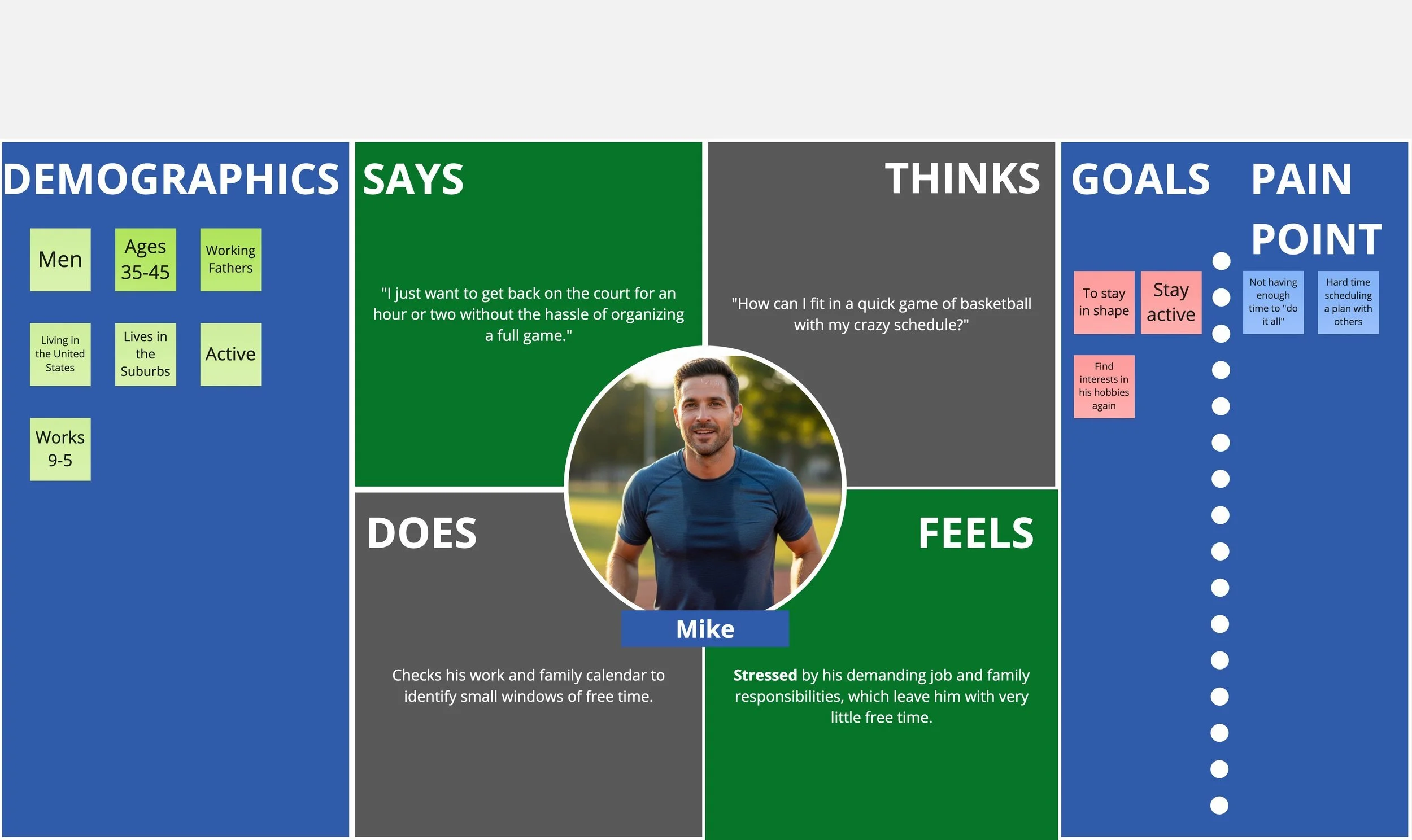
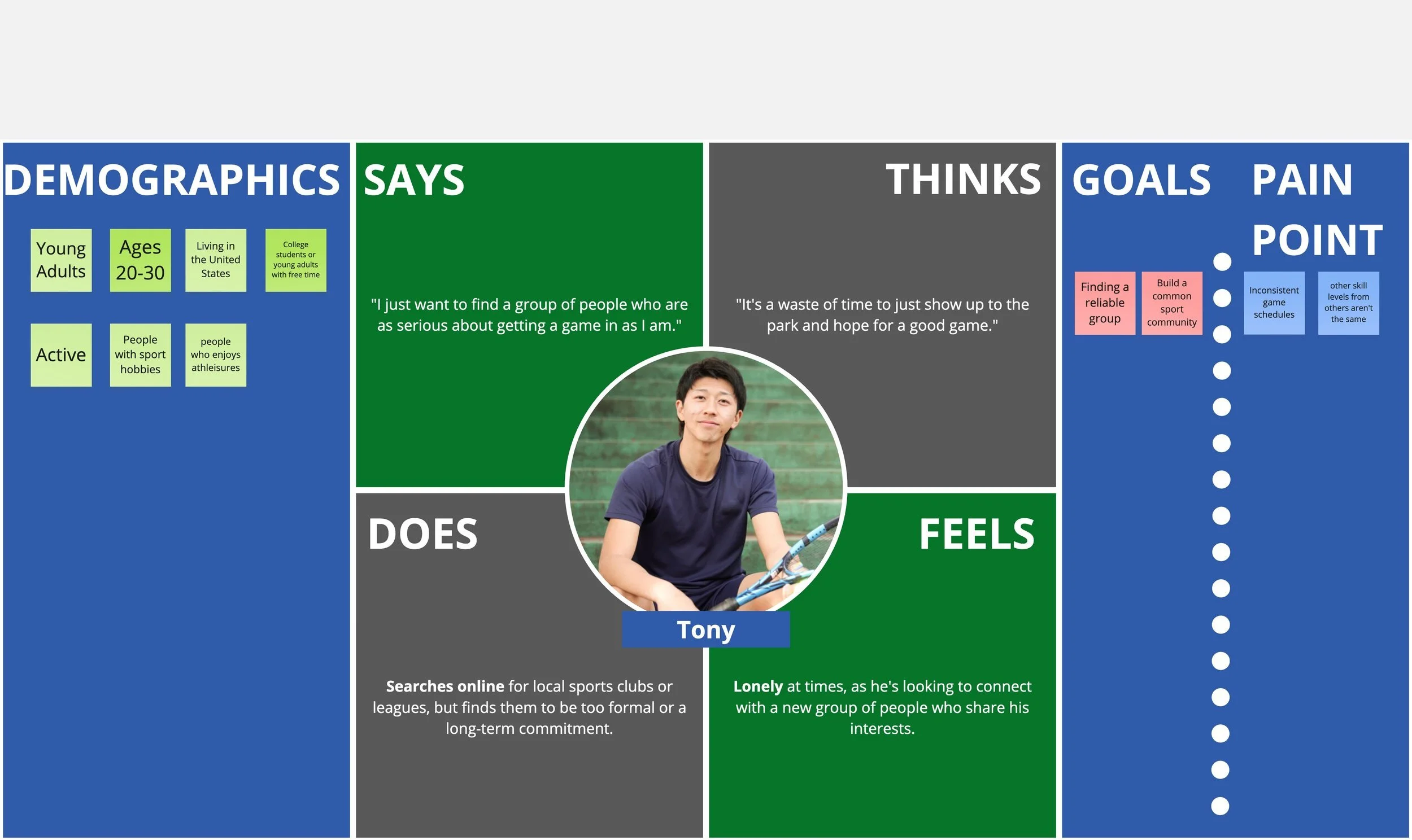
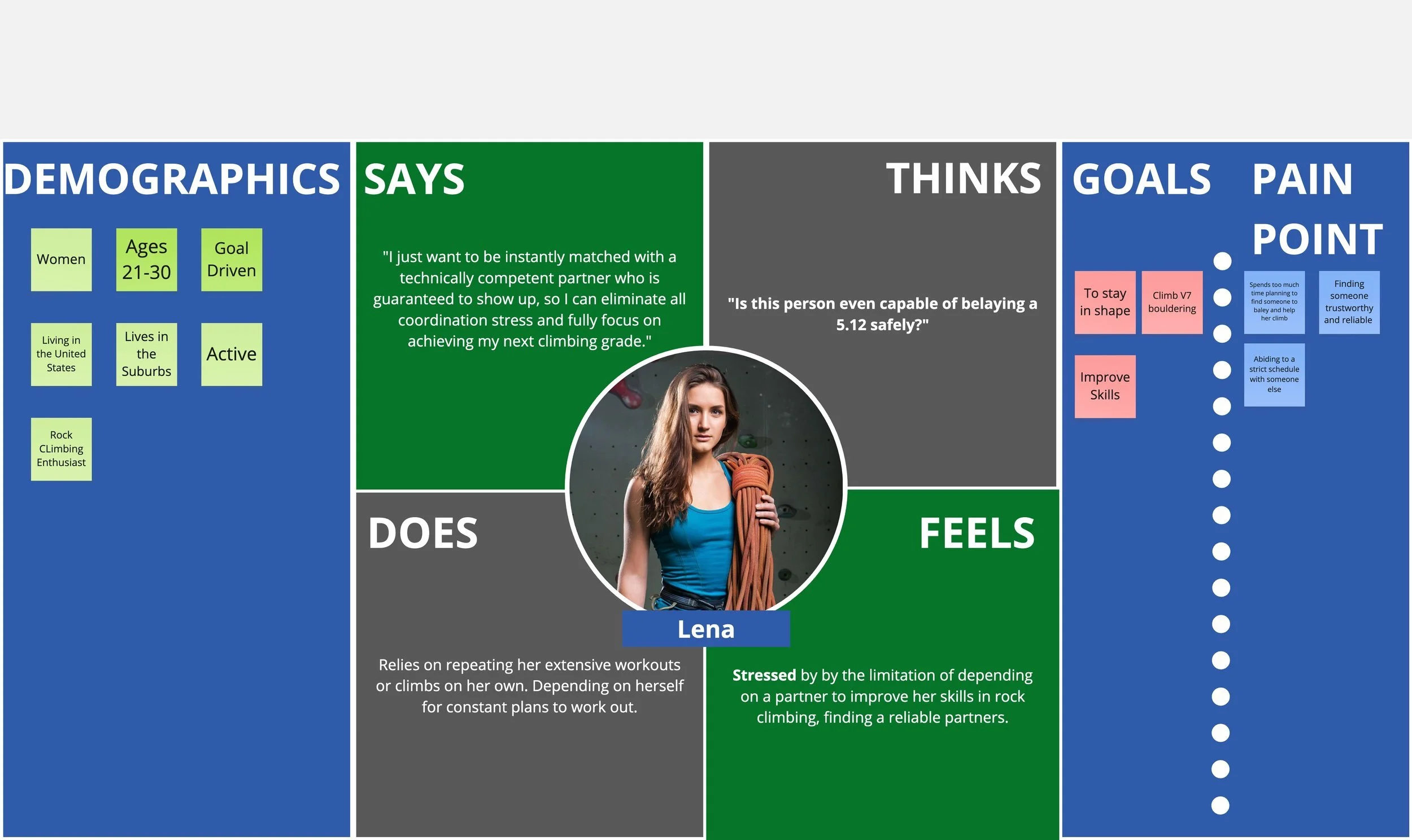
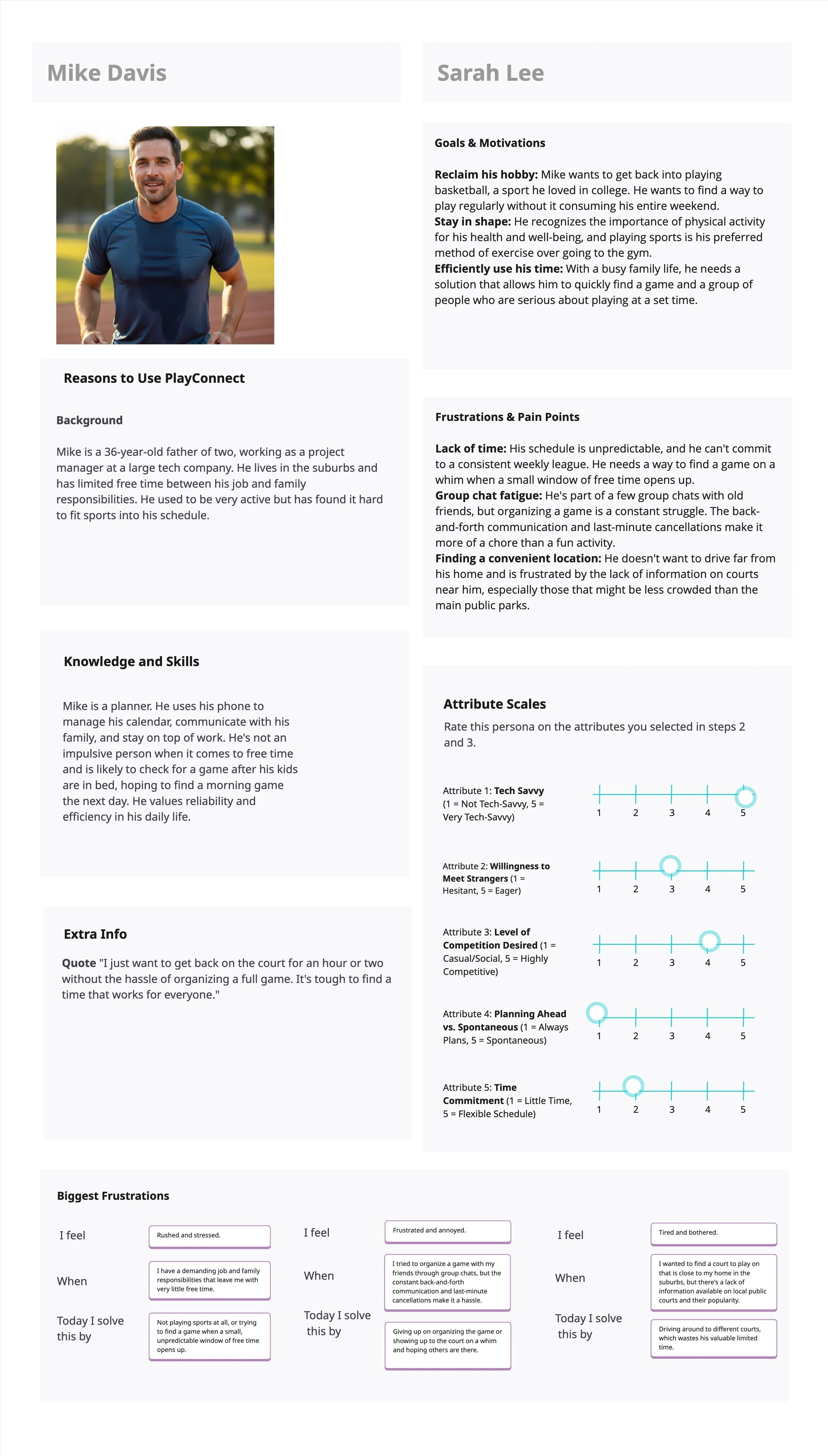
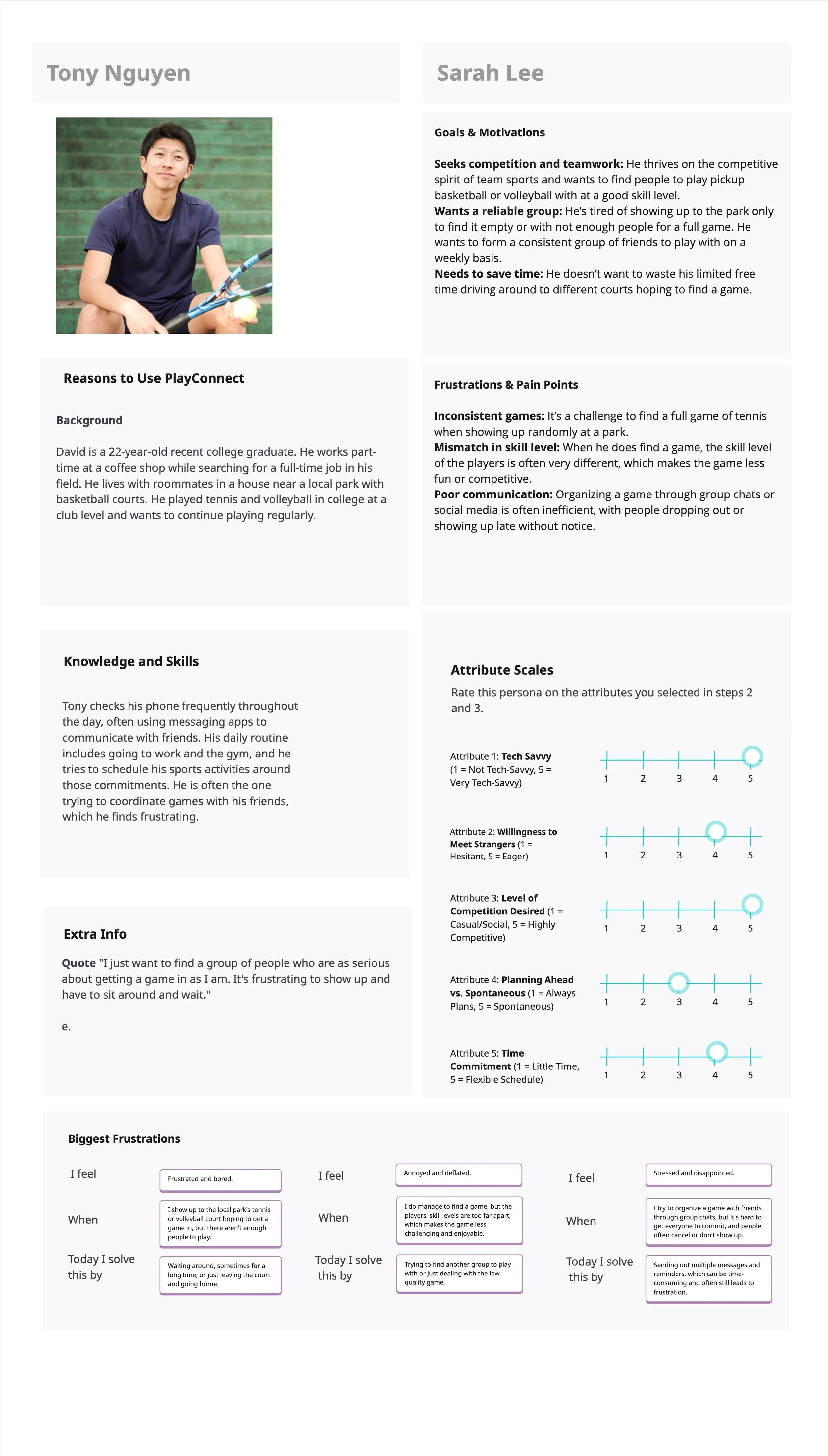
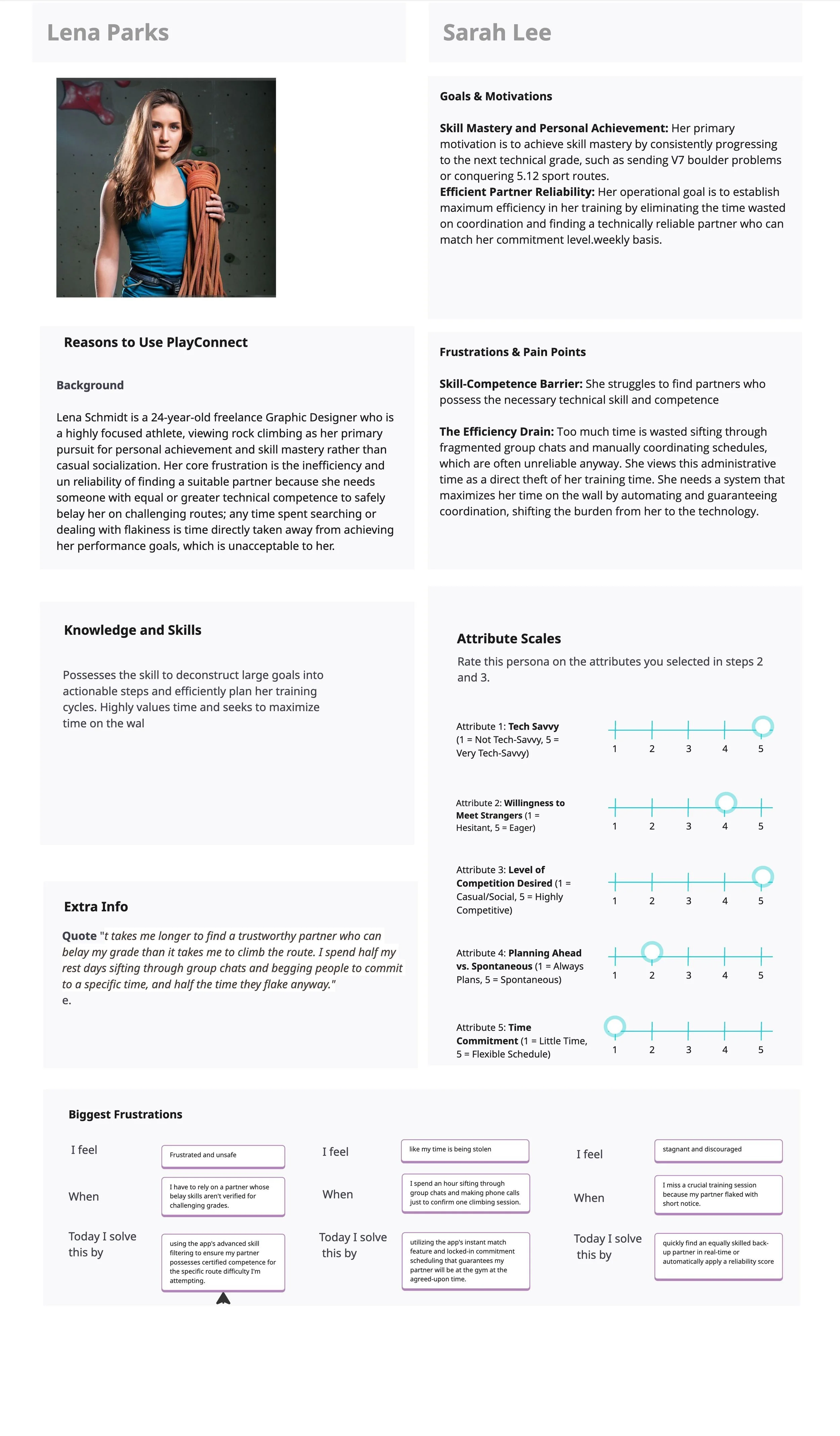
Detailed Persona Research Documents
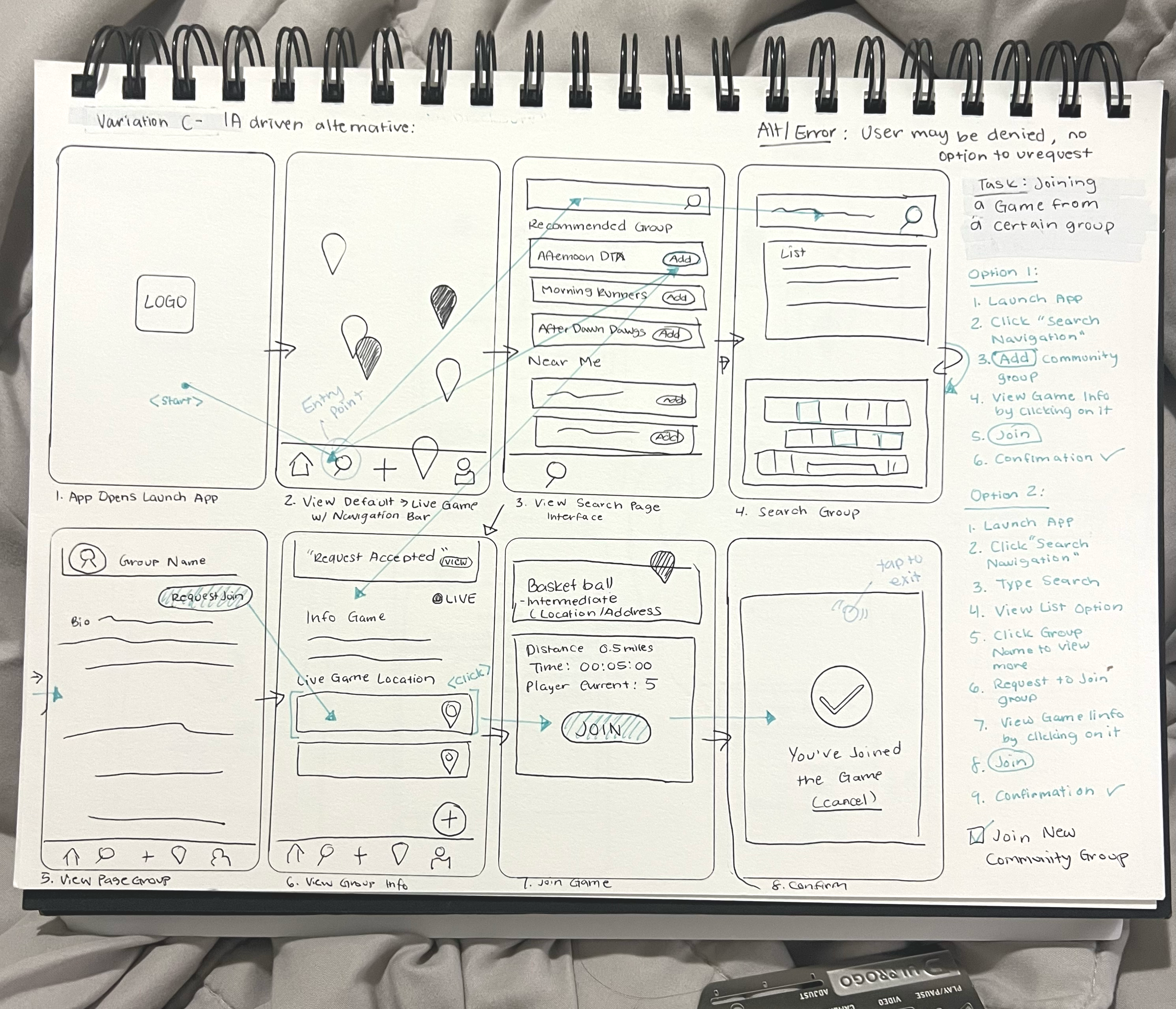
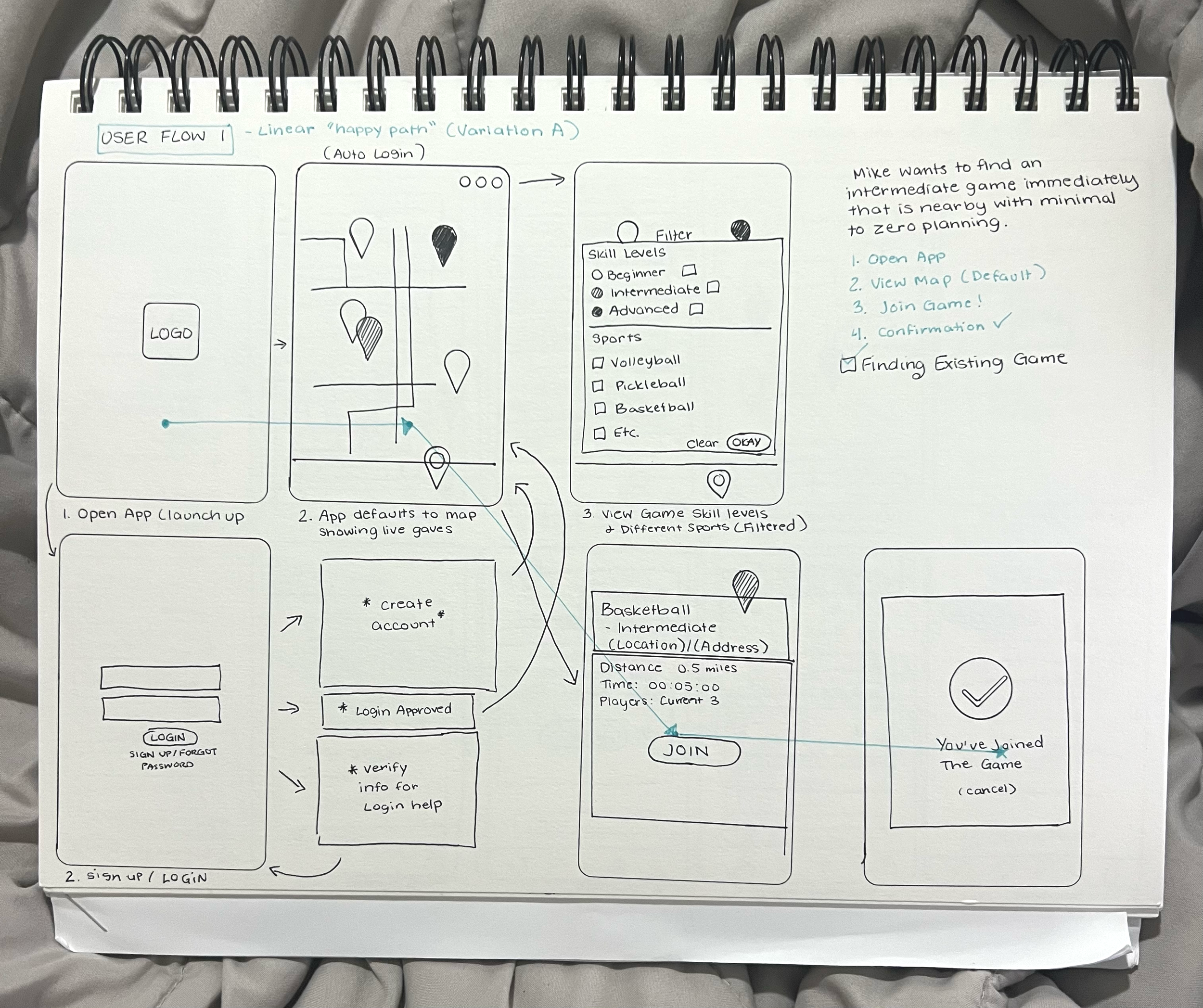
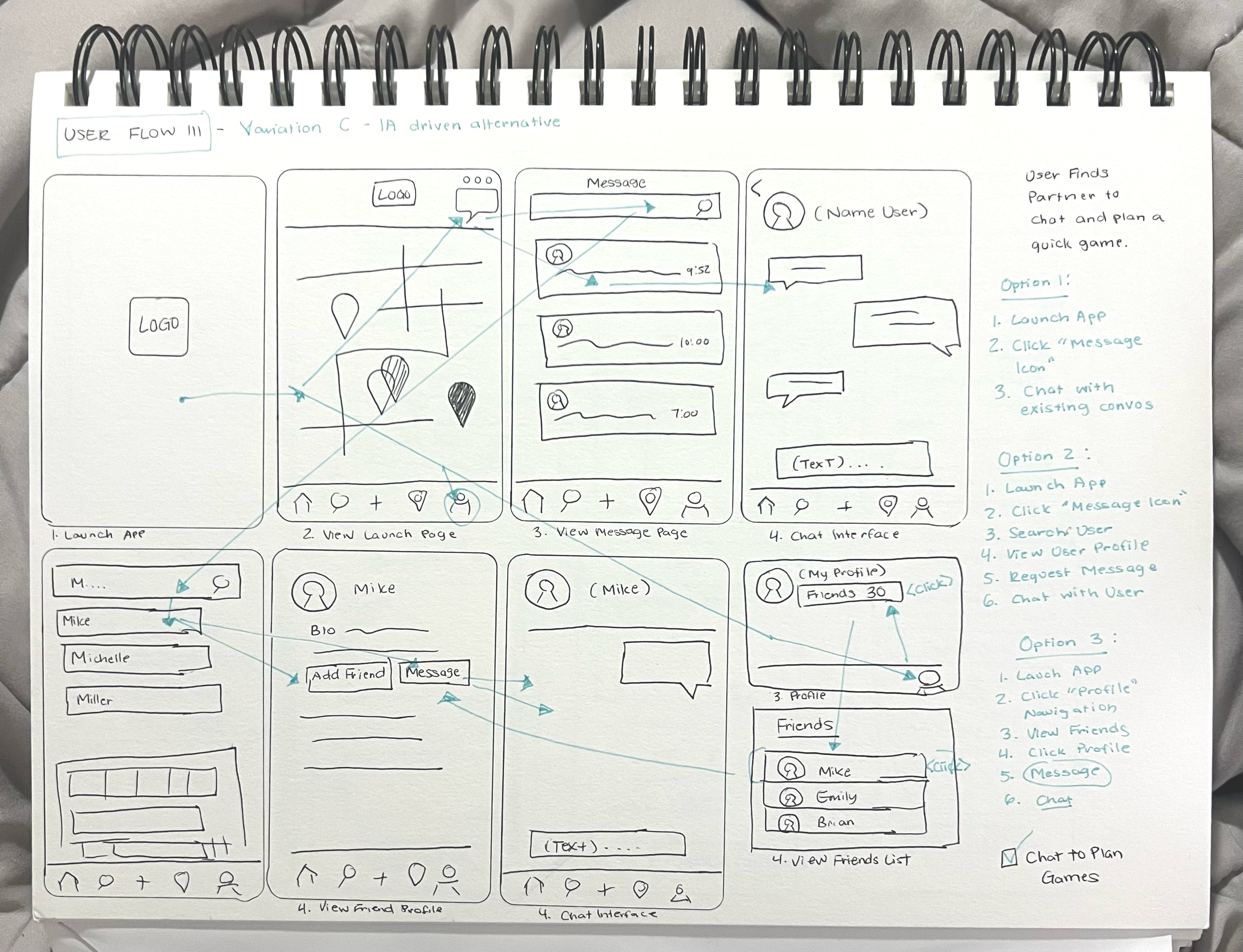
Low-Fidelity Wireframe Sketches
Three sketch variations explored different navigation architectures before committing to the final user flow.
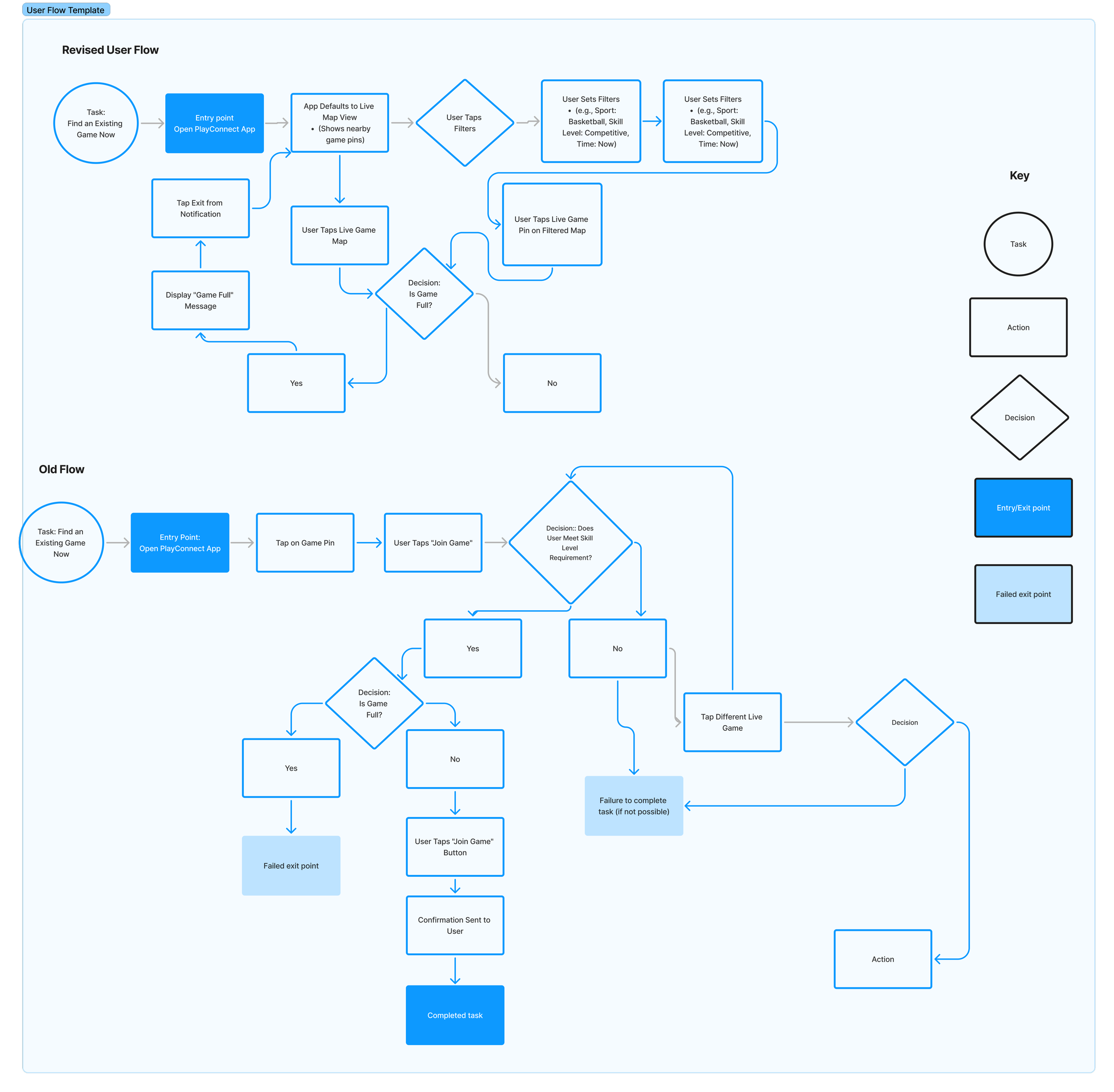
Revised User Flow Diagram
The final flow diagram shows both old and revised flows — highlighting where decision points were simplified and error states were added.
User Flows by Persona
Splash Screen & Design System
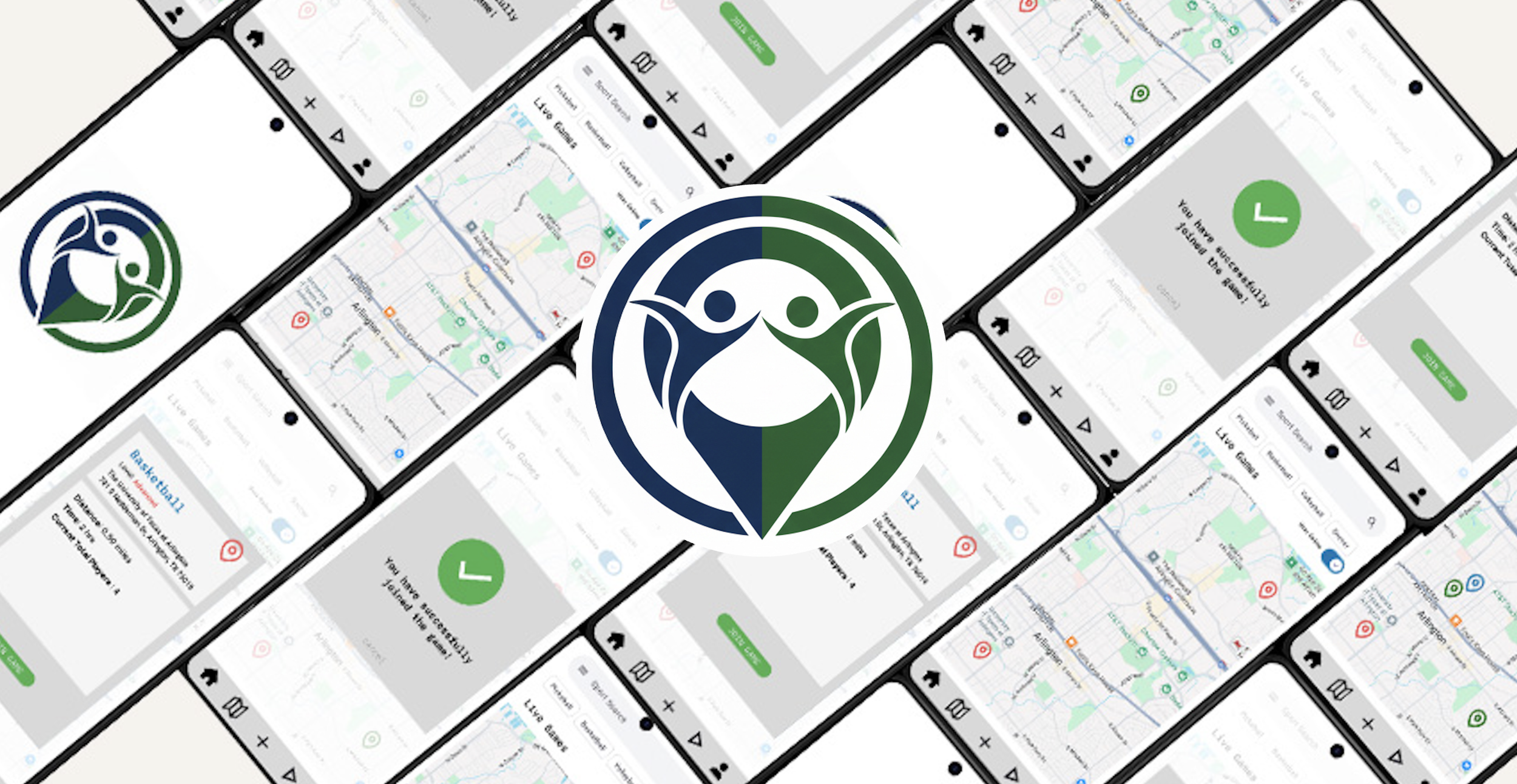
The PlayConnect logo shows two players as a unified icon, split in blue and forest green — communicating partnership, community, and shared activity.
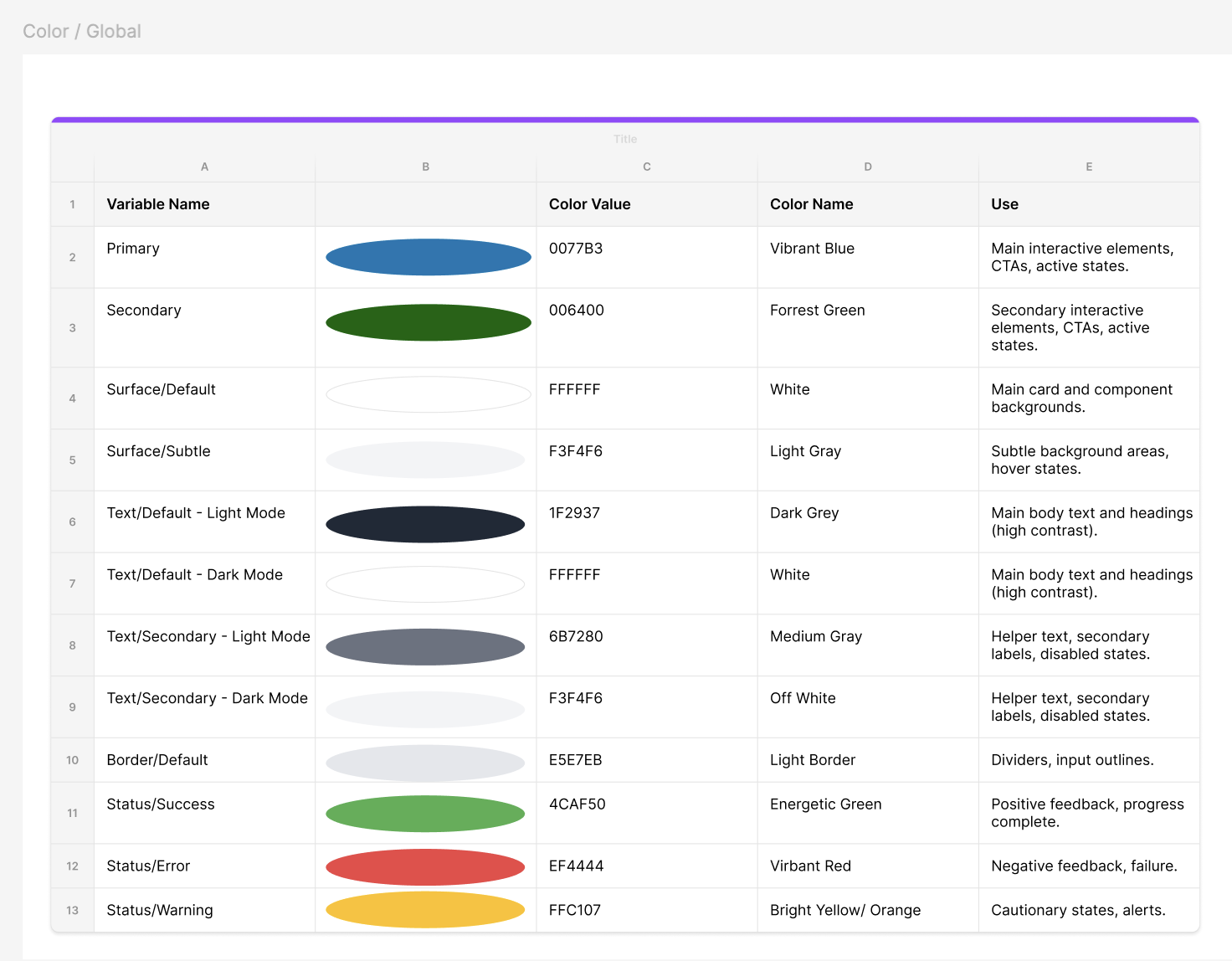
The color system was built as Figma Variables for reusability across all components — Vibrant Blue (#0077B3) as primary, Forest Green (#006400) as secondary, with semantic status colors for game state feedback.
Hi-Fidelity Prototype Screens
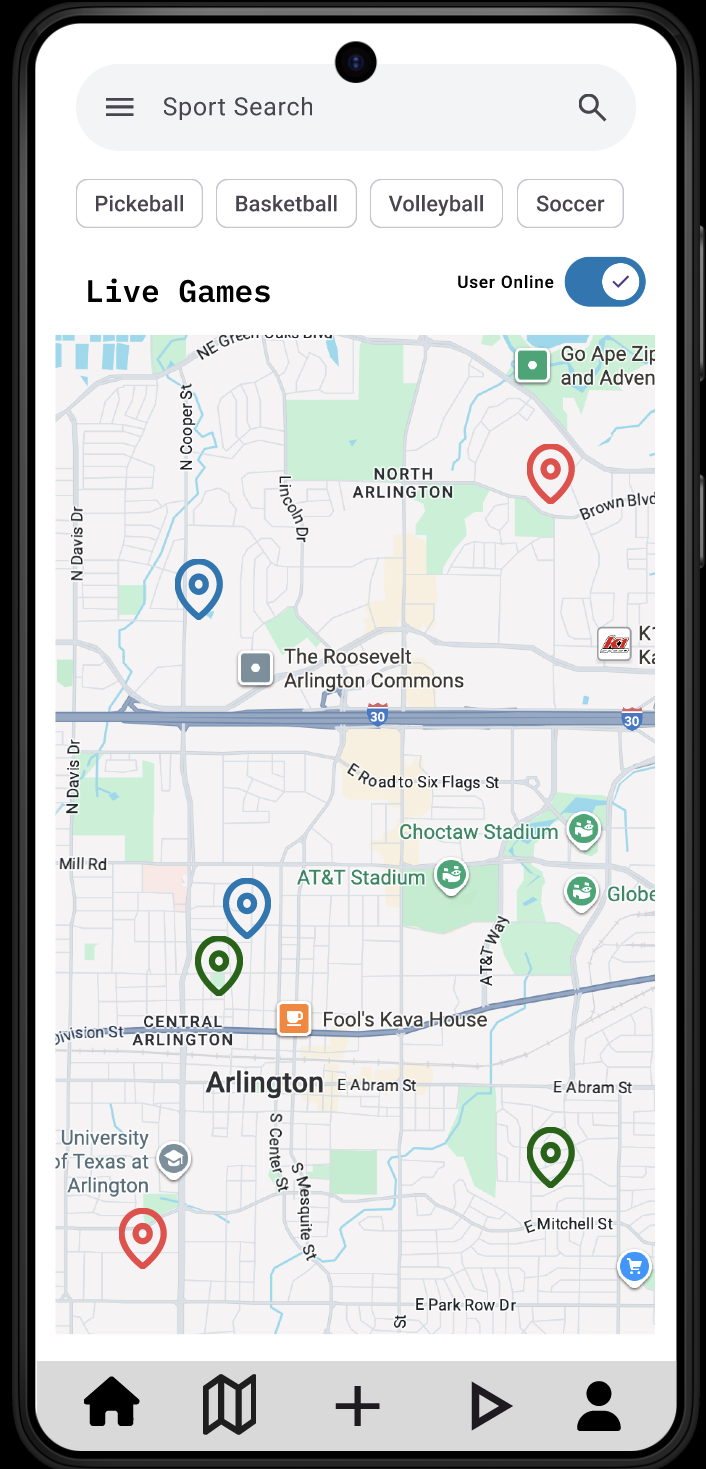
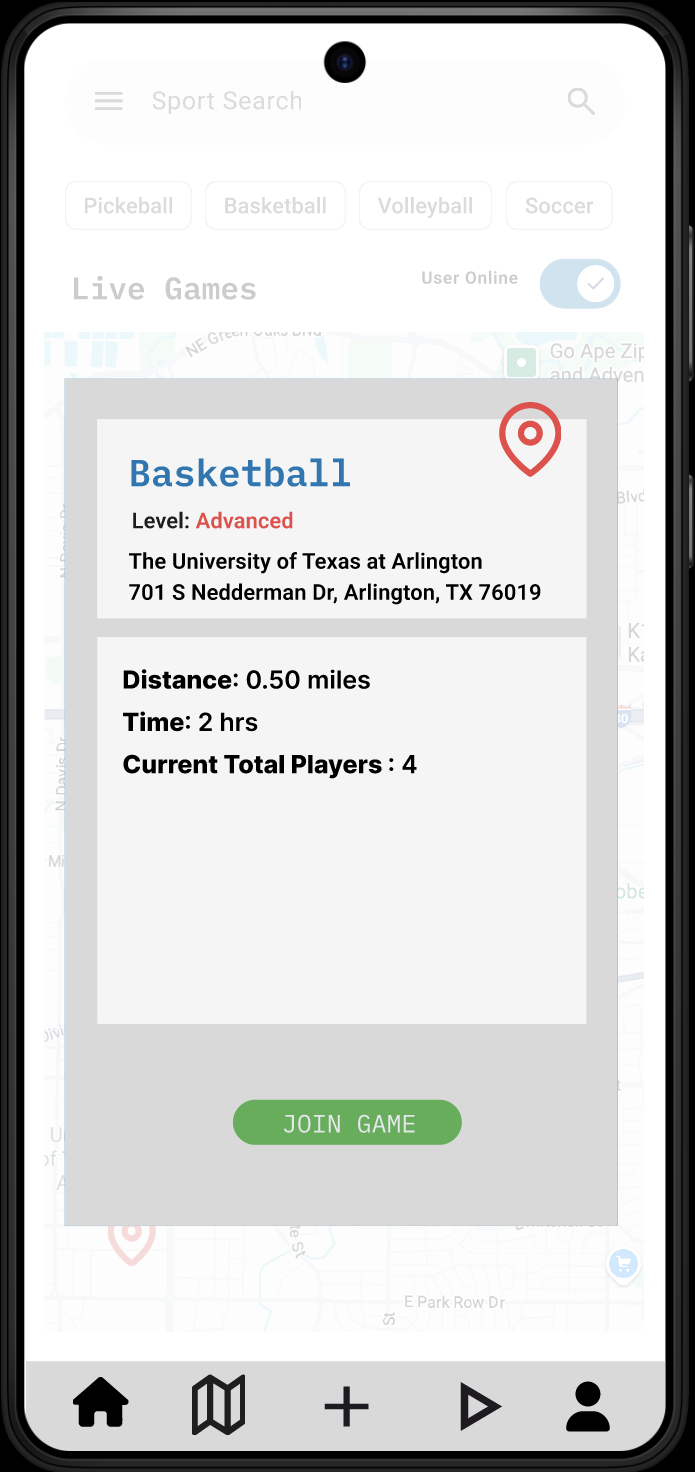
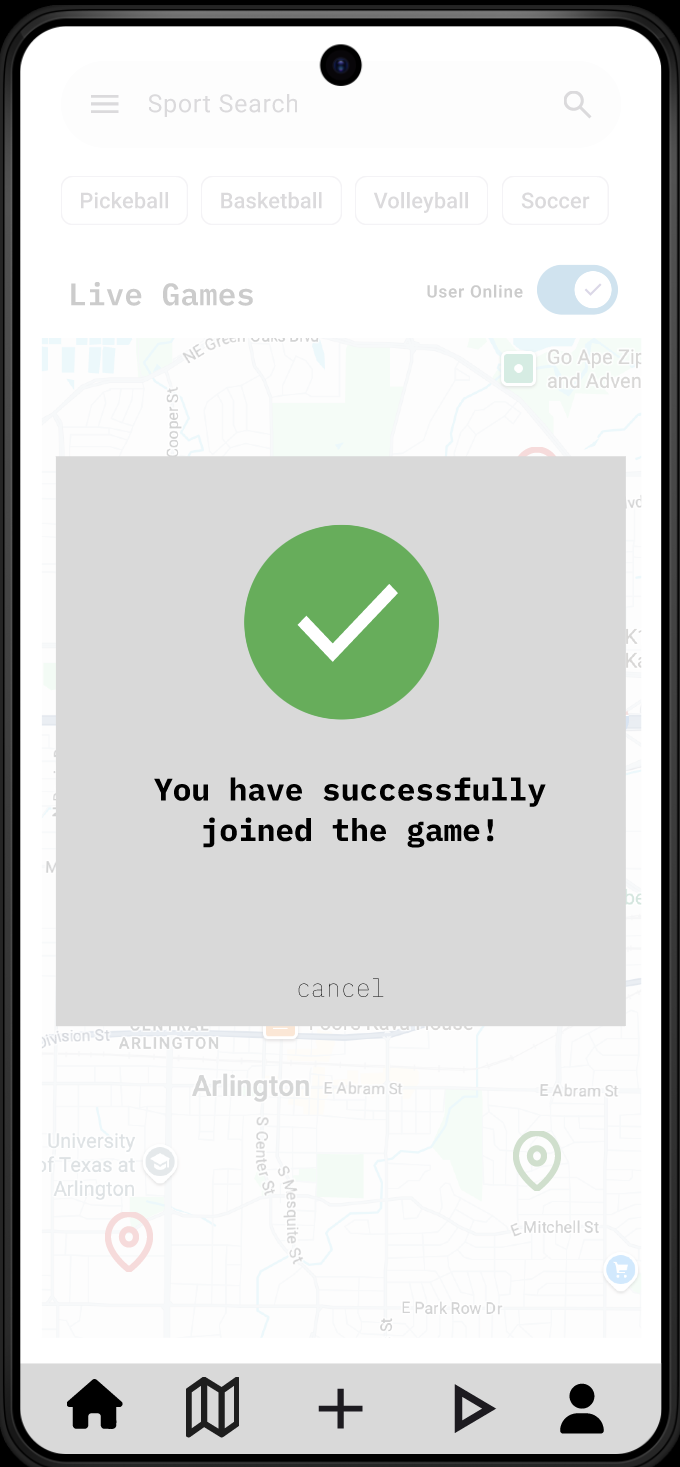
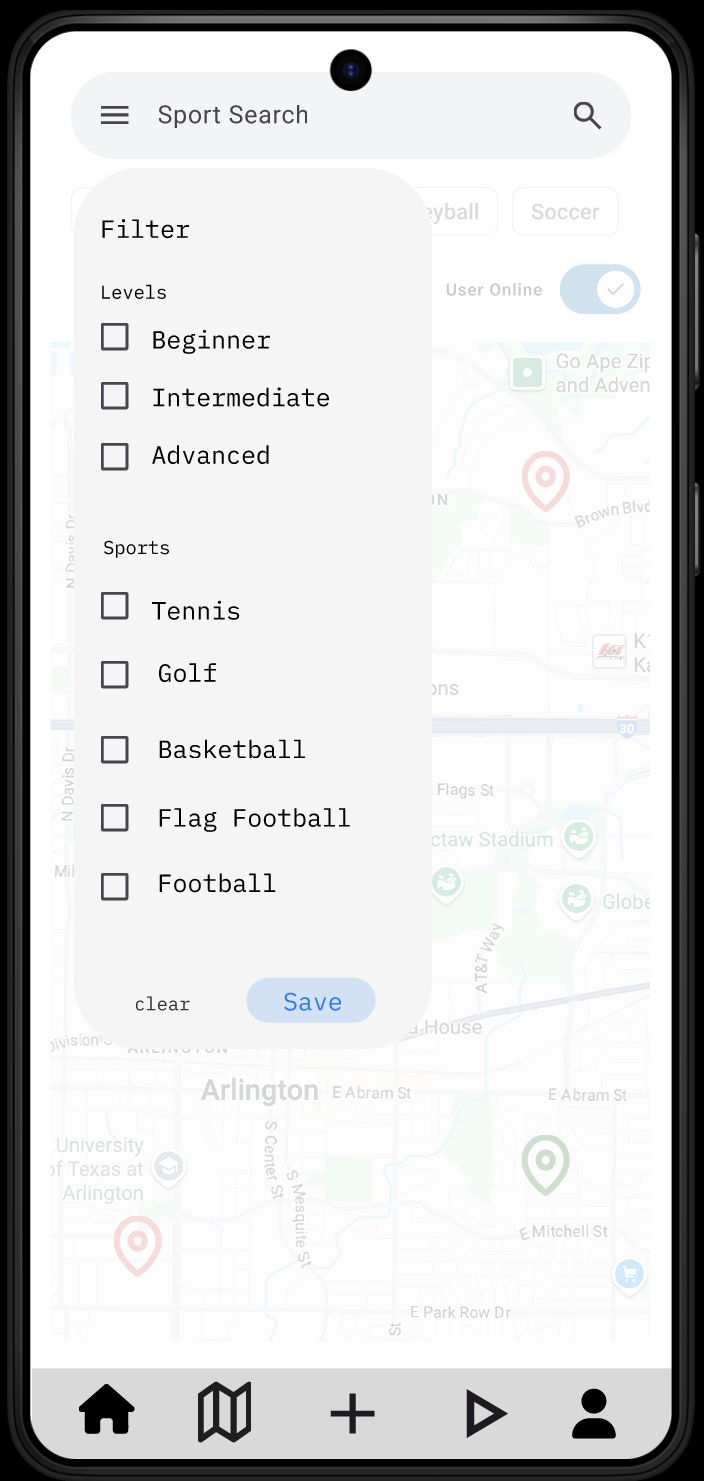
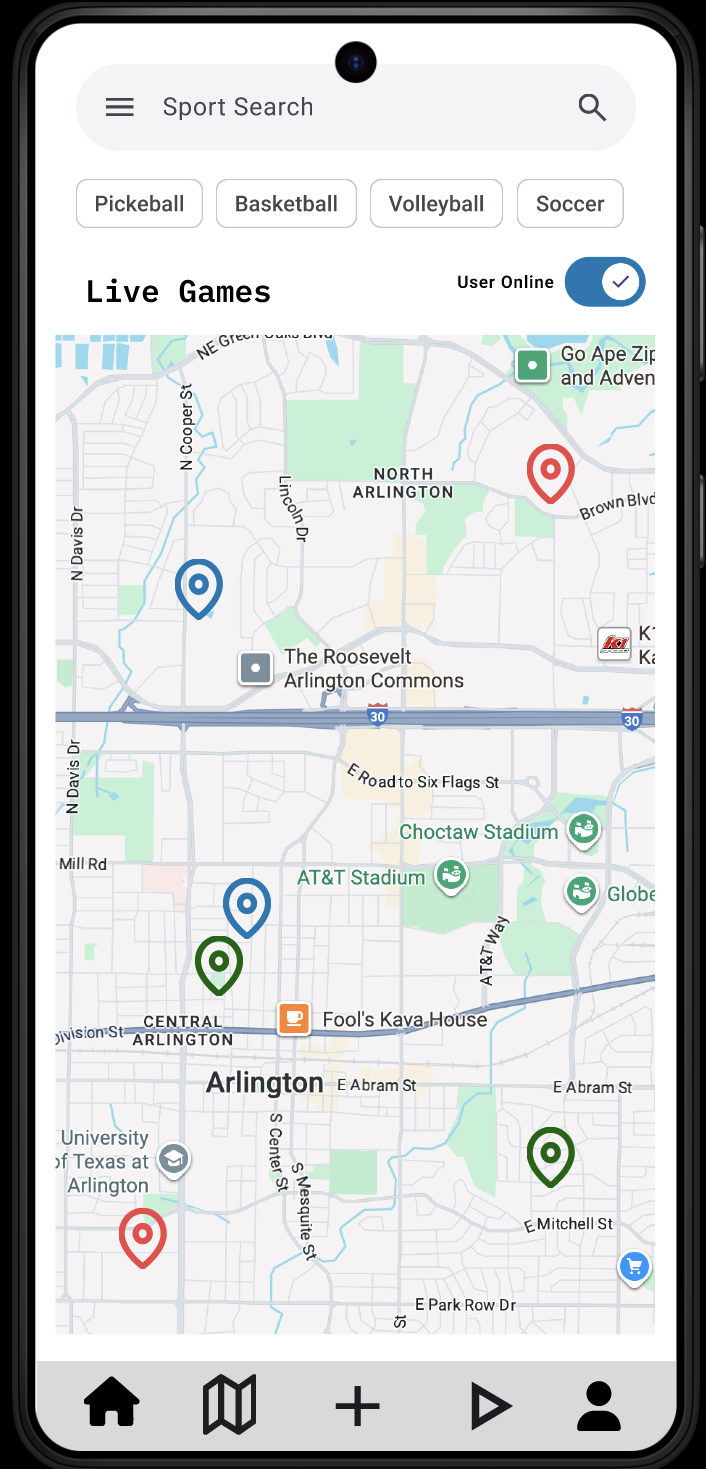
Three key screens from the primary user flow: the Live Games map, the Filter panel with plain-language skill labels, and the Game Info + Confirmation flow.
Hi-Fidelity User Flow Map
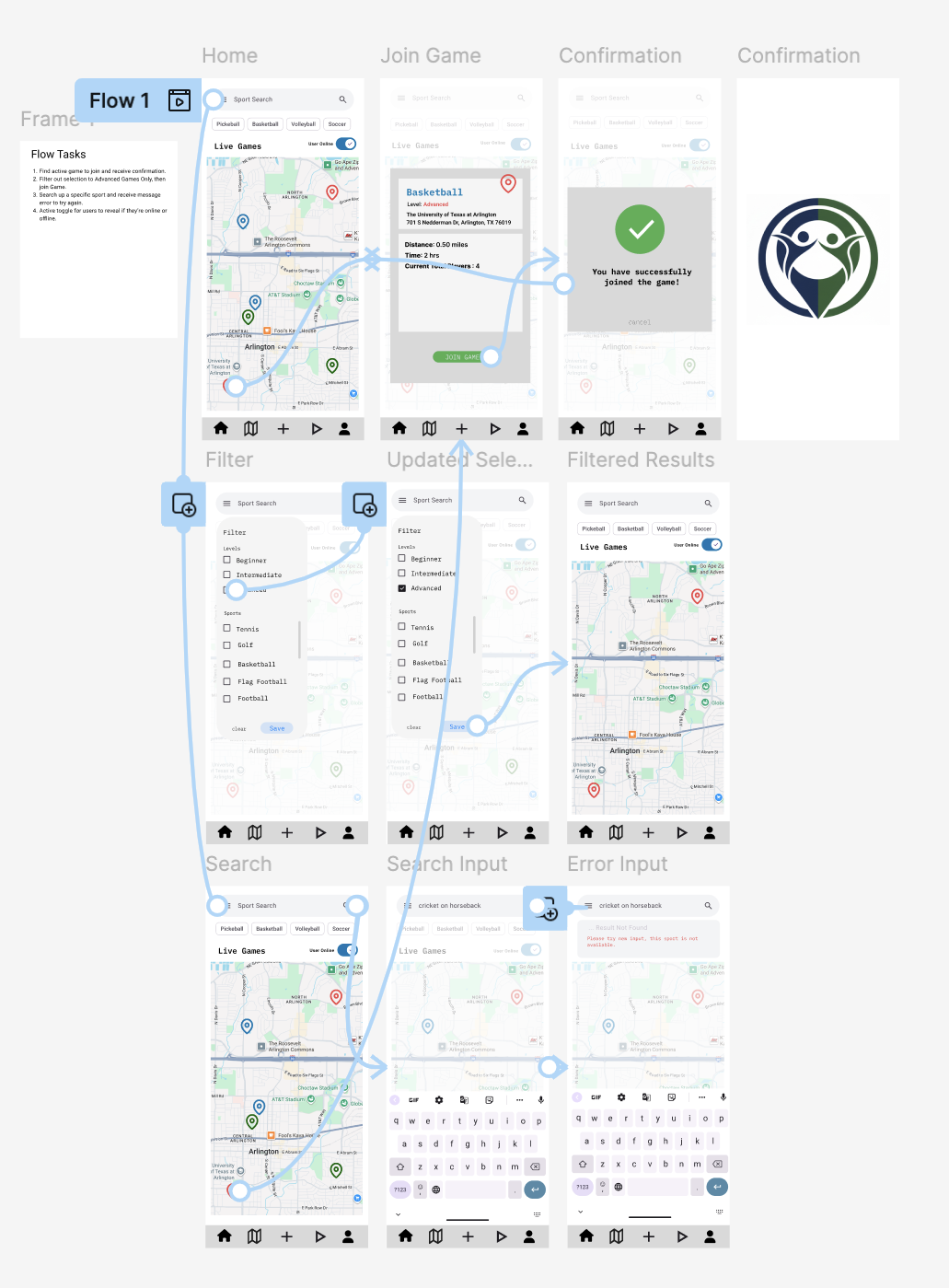
The complete prototype user flow — all screens connected, from home through filtering, game selection, and confirmation, including error states.
Dynamic Repeater Table — Axure RP
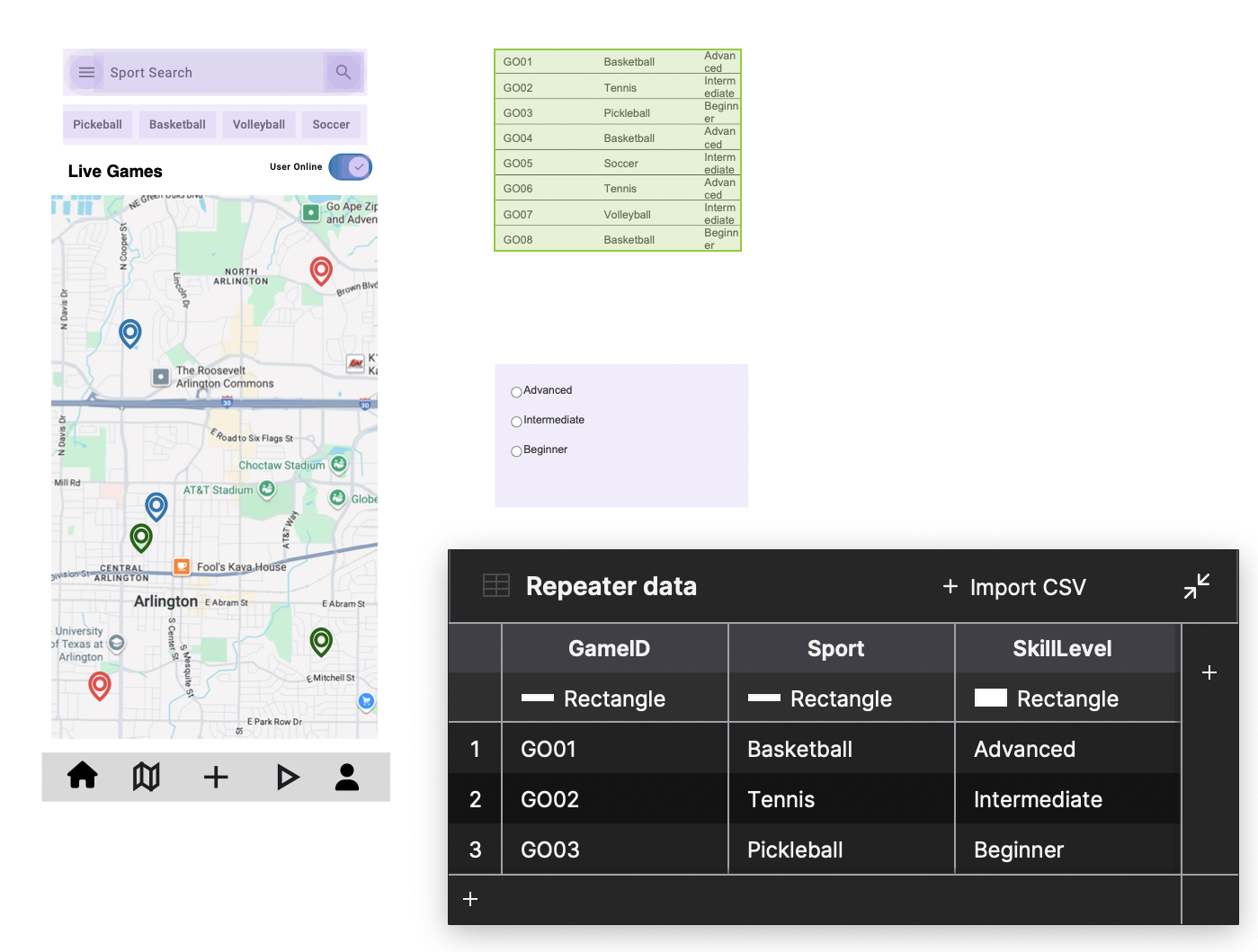
Dynamic repeater table interaction in Axure RP for the live game listing — sortable by sport, skill level, and distance. Also demonstrates the filter radio button interaction and map integration.
Prototype improvements and hypothesis testing based on Jakob's Usability Heuristics, with IF/THEN hypotheses tied to measurable outcomes.
Two AI-powered features address the root causes of coordination failure — unreliability and skill mismatch — while creating sustainable revenue models.
Problem solved: The 85% cancellation rate.
How it works: Predictive analytics on user history (cancellations, no-shows, attendance) generates a dynamic Commitment Score (0–100). Organizers can set a minimum score requirement to join games.
Revenue model: A "Reliability Pass" subscription or micro-transaction temporarily boosts a low-score user's rating — converting a pain point into a revenue stream.
Problem solved: Skill mismatch — Lena's need for verified partners.
How it works: ML analyzes peer ratings, logged performance data, and external integrations to move beyond self-reported skill. Grants an objective "Verified" badge.
Revenue model: Exclusive Skill-Verified Leagues requiring the certified badge — justifying a higher-tier subscription for dedicated users like Lena.
Software & Methods
"Mastery is the cumulative effort of small, strategic failures. Play Connect is the story of that effort — from messy user interviews to a 3-step join flow backed by data."